Skip to content

Post-deployment product analytics

Measure product adoption and conversion shifts after every release

Understanding how customers respond to a new release requires comparing product usage before and after deployment. ShipTale snapshots PostHog trend and funnel metrics at 1-hour and 24-hour intervals, highlighting aggregate shifts alongside release change context. Comparisons reflect time-window associations without storing raw event or user data.

Last reviewed:

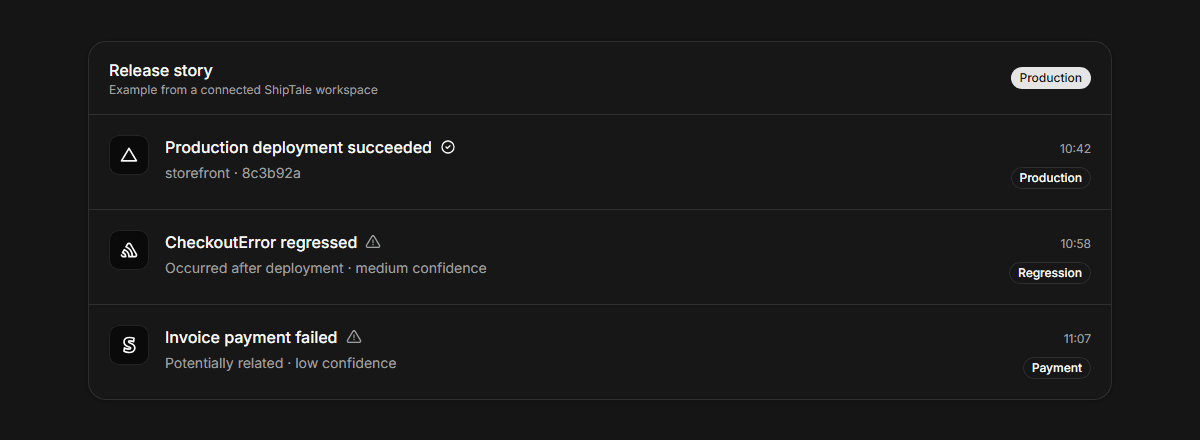
ShipTale comparison card showing before and after PostHog conversion metrics for a release
Provider context stays traceable to its source and qualified by the available evidence.

Automated before/after release checkpoints

Instead of manually refreshing analytics dashboards after a deploy, ShipTale automatically calculates before-and-after baselines at 1 hour and 24 hours post-release, saving engineering and product teams hours of manual verification.

Clear boundaries between correlation and causality

Every measurement card explicitly notes that shifts represent time-window comparisons, not proven causation. This ensures data is used responsibly alongside qualitative user feedback.

What ShipTale supports—and where it stops

AreaSupportsDoes not claim or do
Measurement timingAutomated snapshots at exactly deployedAt + 1 hour and + 24 hoursArbitrary custom timeframes or real-time streaming
Metric typesSingle-series Trends (event counts) and Funnel conversion percentagesCohort retention tables or breakdown dimensions
Data privacyStores only aggregate numbers; zero PII or user distinct IDs storedTracking individual visitor paths or sessions

How the workflow runs

  1. 01

    Connect PostHog cloud

    Add your personal API key and select up to 3 core saved insights.

  2. 02

    Deploy to production

    Ship code through your Vercel or GitHub release workflow as usual.

  3. 03

    Review measurement deltas

    Check automated 1h and 24h checkpoints directly within each release story.

Provider documentation

These primary sources describe provider capabilities. ShipTale behavior is described separately above.

Frequently asked questions

Why does ShipTale wait 1 hour and 24 hours?
1 hour provides rapid early warning for significant drops or surges, while 24 hours normalizes for diurnal variation and provides statistical stability.
What happens if the baseline value before release was zero?
When the baseline is zero, percentage change cannot be mathematically calculated. ShipTale shows the absolute delta and sets percentage delta to null to prevent misleading infinity figures.

Continue exploring

Start your first Tale

Connect Vercel and Sentry free. Add Stripe customer context on Pro.

Start free