Which customer signals can enter a Tale?
ShipTale imports supported Stripe event context around charges and refunds, disputes, payment intents, subscriptions, and invoices when the restricted key has the validated read permissions.
Use case · Free
Release customer-impact monitoring asks whether customer or payment signals appeared after production changed. ShipTale places supported Stripe events beside a Vercel release and related Sentry changes in chronological order on every plan. It provides a qualified investigation trail, not automated attribution that a deployment caused a payment, dispute, refund, or subscription event.
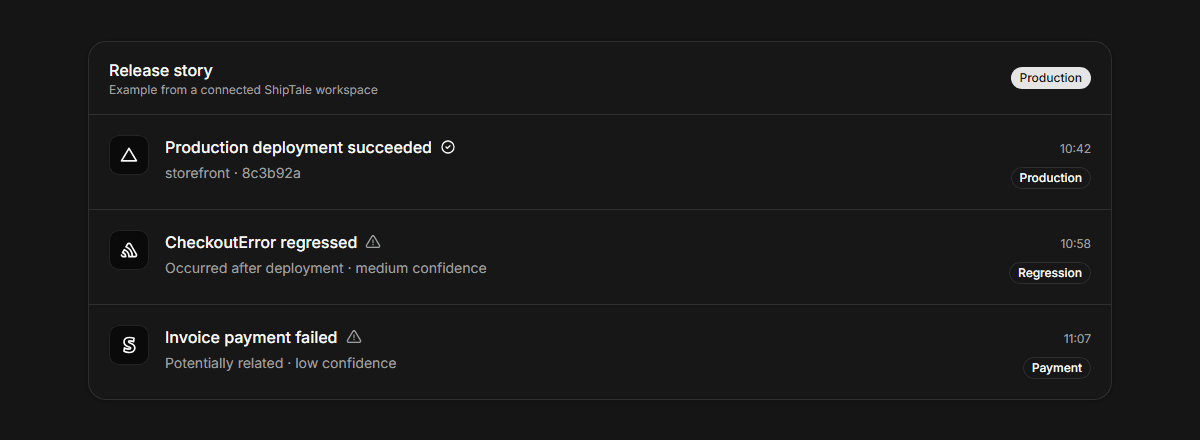
ShipTale imports supported Stripe event context around charges and refunds, disputes, payment intents, subscriptions, and invoices when the restricted key has the validated read permissions.
Use the ordered events to form an investigation question: what changed, which issue signals followed, and which customer events appeared next? Confirm billing details in Stripe and technical cause in the relevant engineering systems.
| Area | Supports | Does not claim or do |
|---|---|---|
| Context | Occurrence time and supported Stripe event type | A causal revenue-impact score |
| Cross-tool view | Vercel or GitHub, Sentry, and Stripe in one sequence | Replacing provider-native detail |
| Availability | Stripe history on every plan | Automated revenue attribution |
Identify the successful production deployment under review.
Review related Sentry signals and their confidence labels.
Inspect supported Stripe events and verify important cases at the source.
Free tool
Turn deployment, error, metric, customer, and remediation events into a chronological incident timeline.
Review permissions and supported resources.
Understand confidence labels.
Compare Free, Pro, and Pro Lifetime access.
Connect Vercel, GitHub, Sentry, PostHog, and Stripe for free. Choose Pro or Pro Lifetime for more project capacity and history.