Skip to content

PostHog integration

PostHog post-deployment measurement snapshots for release Tales

ShipTale connects to PostHog using a read-only personal API key to measure trend and funnel conversion checkpoints at 1 hour and 24 hours post-release. ShipTale stores only aggregate numeric snapshots, delta values, and window boundaries; it never captures raw user events, person profiles, distinct IDs, or session recordings. Time-window comparisons illustrate correlation, not causation.

Last reviewed:

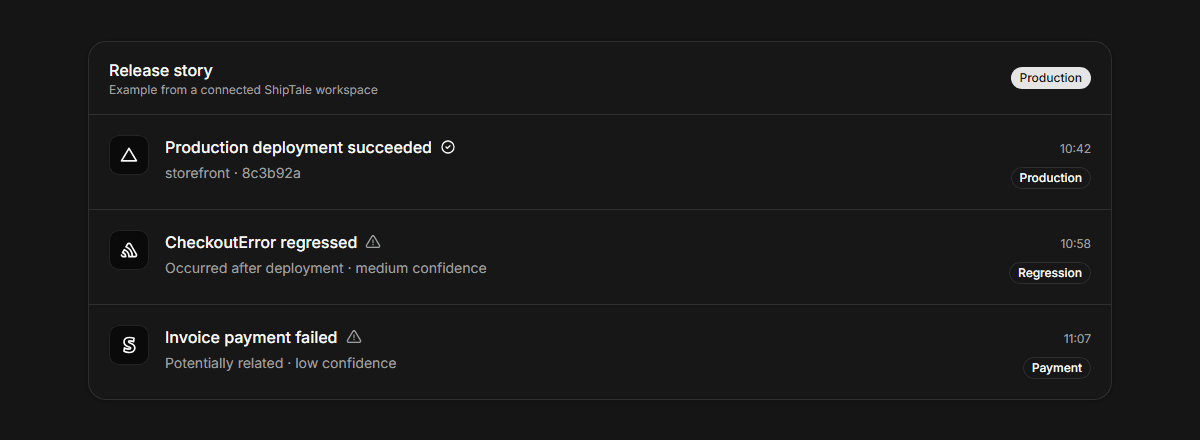
ShipTale Tale displaying PostHog 1-hour and 24-hour conversion measurements after a release
Provider context stays traceable to its source and qualified by the available evidence.

What PostHog data does ShipTale measure?

ShipTale reads up to three saved insights per project, querying single-series Trends and Funnels without breakdowns. It compares metrics across identical pre- and post-release time windows at 1 hour and 24 hours after deployment.

How are measurement windows evaluated?

Each checkpoint evaluates an equal time window immediately after release against the window immediately before release using fixed UTC timestamps. For a 1-hour checkpoint, the 60 minutes after deployment is compared to the 60 minutes before deployment.

What ShipTale supports—and where it stops

AreaSupportsDoes not claim or do
AccessRead-only access to saved insights and query results using a personal API keyModifying dashboards, altering insight definitions, or capturing session recordings
Supported insightsSingle-series Trends (count/rate) and Funnels without breakdowns (up to 3 insights)Retention, paths, lifecycle, stickiness, HogQL/SQL, multi-series, or breakdown queries
Retained dataAggregate before/after values, absolute delta, optional percent delta, and UTC window boundariesRaw event payloads, visitor distinct IDs, user properties, person profiles, or session replays
Causation boundaryTime-window comparison between fixed pre- and post-release intervalsStatistical proof or attribution that a release caused observed metric changes
Disconnect behaviorRemoves encrypted API keys and provider-owned measurement links on disconnectDeleting underlying release Tales or past timeline records

How the workflow runs

  1. 01

    Connect PostHog API key

    Select your region (US or EU cloud) and provide a read-capable personal API key and project ID.

  2. 02

    Select up to 3 saved insights

    Choose single-series Trends or Funnels representing your core product signals.

  3. 03

    Review automated checkpoints

    ShipTale automatically captures 1-hour and 24-hour measurement snapshots after each release.

Provider documentation

These primary sources describe provider capabilities. ShipTale behavior is described separately above.

Frequently asked questions

Does ShipTale store raw PostHog event data or customer identities?
No. ShipTale only records aggregate numeric snapshots (counts and percentages) and window boundaries. It never stores raw events, customer distinct IDs, user profiles, or session recordings.
Does a measurement change prove that the release caused it?
No. This is a time-window comparison, not proof that the release caused the change. External factors like seasonality, marketing campaigns, or third-party outages can also affect metrics.
Which PostHog regions and insight types are supported?
ShipTale supports both US (us.posthog.com) and EU (eu.posthog.com) cloud instances. Only single-series Trends and Funnels without breakdowns are supported.

Continue exploring

Start your first Tale

Connect Vercel and Sentry free. Add Stripe customer context on Pro.

Start free