Skip to content

GitHub integration

GitHub deployment and commit context for release timelines

ShipTale connects to GitHub using a read-only personal access token (PAT) to monitor production releases and attach commit and pull request context to your Tales. It supports production deployments or designated GitHub Actions workflow runs as release anchors, providing clear before/after context without modifying repositories or Actions workflows.

Last reviewed:

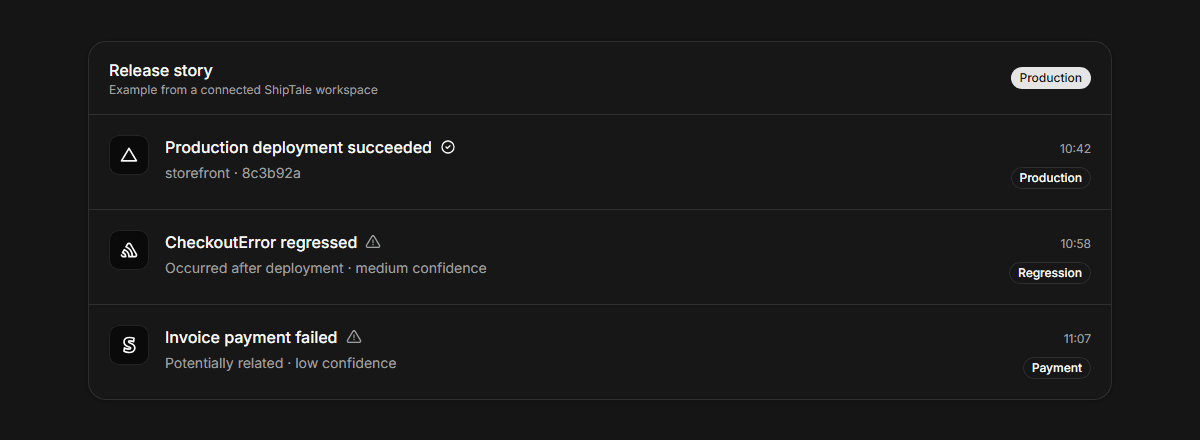
ShipTale release story with GitHub production deployment anchor and merged pull request context
Provider context stays traceable to its source and qualified by the available evidence.

What GitHub data does ShipTale use?

ShipTale reads the repository you select, including deployment statuses, successful workflow runs, commit messages, and merged pull request details. It uses production deployments or chosen Actions workflows as release markers to establish release timing and commit traceability.

How does GitHub fit into a Tale?

A GitHub release anchor establishes what code shipped and when. ShipTale enriches the release with commit SHA, author, and merged PR links, and correlates subsequent operational events from Sentry, PostHog, and Stripe.

What ShipTale supports—and where it stops

AreaSupportsDoes not claim or do
AccessFine-grained personal access token (PAT) with read-only access to deployments, workflows, and pull requestsWriting code, merging PRs, triggering workflows, or modifying repository settings
Release markersProduction deployments or specific successful GitHub Actions workflow runsPreview deployments, feature branches, or failed workflow runs
Retained dataCommit SHA, commit message, repository name, PR title, number, author, and timestampSource code files, full repository diffs, secrets, or issue discussions
SynchronizationReal-time webhooks with periodic reconciliation every 15 minutesAltering external GitHub webhook configuration directly
Disconnect behaviorImmediately deletes encrypted credentials and stops event synchronizationDeleting existing Tale history or modifying your GitHub repository

How the workflow runs

  1. 01

    Connect personal access token

    Provide a fine-grained GitHub PAT with read-only permissions for deployments and actions.

  2. 02

    Choose repository and release anchor

    Select your repository and choose between production deployments or a specific GitHub Actions workflow.

  3. 03

    Explore release Tales

    Follow each production release with linked commit and PR context alongside quality and measurement signals.

Provider documentation

These primary sources describe provider capabilities. ShipTale behavior is described separately above.

Frequently asked questions

Can ShipTale push code or trigger GitHub workflows?
No. ShipTale requires strictly read-only access and never pushes commits, modifies repository code, merges pull requests, or triggers workflows.
What release modes does ShipTale support for GitHub?
ShipTale supports exactly two release anchor modes: production deployment events or successful runs of a specific GitHub Actions workflow ID.
What happens when I disconnect GitHub?
Disconnecting immediately purges your encrypted token from the credential vault and stops future event processing. Past release Tales remain preserved in your project.

Continue exploring

Start your first Tale

Connect Vercel and Sentry free. Add Stripe customer context on Pro.

Start free