Which Stripe resources does ShipTale read?
The integration requires read access to Events, Charges and Refunds, Disputes, Payment Intents, Subscriptions, and Invoices. ShipTale validates these permissions before storing the encrypted restricted key.
Stripe integration · Free
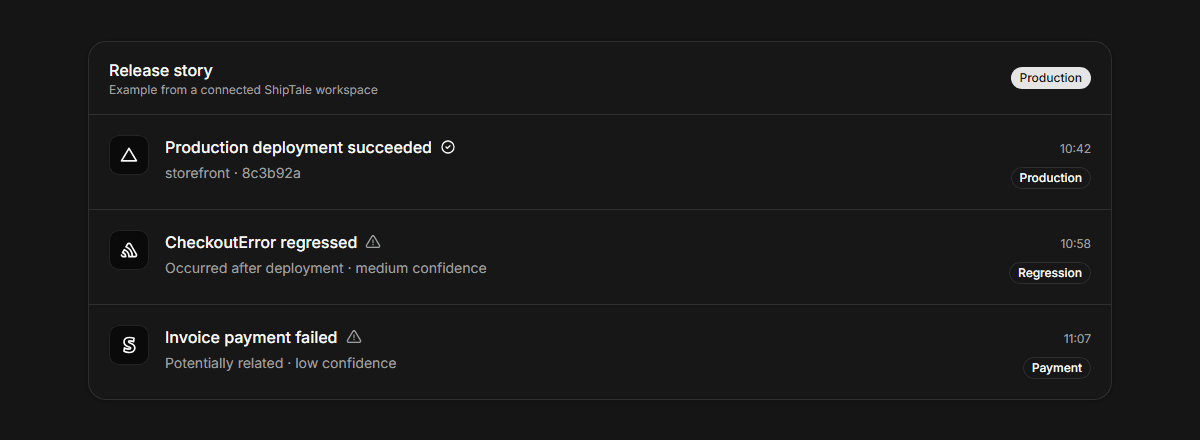
ShipTale makes supported Stripe events available on every plan in the same chronological view as Vercel releases and Sentry changes. It uses a restricted read key, validates required read permissions, and polls every 15 minutes. Stripe remains the billing source of truth; ShipTale supplies release-adjacent customer context rather than revenue attribution or causal proof.
Last reviewed:
The integration requires read access to Events, Charges and Refunds, Disputes, Payment Intents, Subscriptions, and Invoices. ShipTale validates these permissions before storing the encrypted restricted key.
A supported Stripe event appearing after a release is customer context, not proof that the deployment caused the event. ShipTale preserves the occurrence time and correlation basis so teams can investigate in Stripe.
| Area | Supports | Does not claim or do |
|---|---|---|
| Plan | Stripe integration on every plan | Secret key, Stripe Connect, or write access |
| Credential | Restricted key with required read permissions | Secret key, Stripe Connect, or write access |
| Delivery | Polling every 15 minutes | A Stripe webhook endpoint |
Grant read access only to the resources ShipTale validates and imports.
ShipTale validates the account mode and permissions before encrypting the credential.
Read supported customer events after a release, then open Stripe for native billing detail.
These primary sources describe provider capabilities. ShipTale behavior is described separately above.
Free tool
Generate a practical release checklist tailored to your deployment type, stack, and risk areas.
Use Stripe events as qualified customer context.
Compare Free, Pro, and Pro Lifetime.
See how credentials are handled.
Connect Vercel, GitHub, Sentry, PostHog, and Stripe for free. Choose Pro or Pro Lifetime for more project capacity and history.